
How to Delete Your Account
You can delete your account at any time from within the app. This action is permanent — your account, all stories, credits, and data will be permanently removed.
Warning: This Cannot Be Undone
Once deleted, your account, all stories, credits, and personal data will be permanently removed.
Steps to Delete Your Account
- 1
Open the Toy Tales app.
- 2
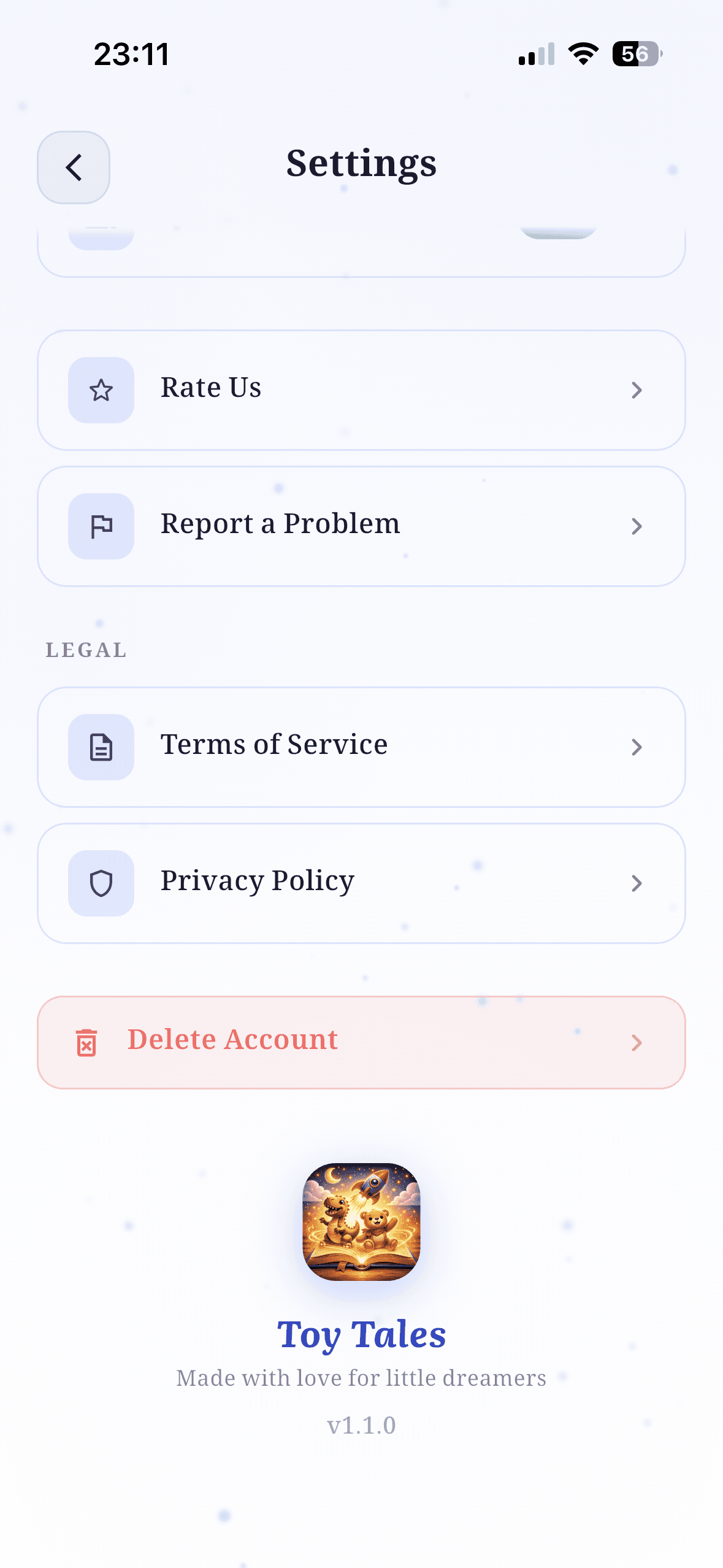
Go to the Settings screen from the bottom navigation.
- 3
Scroll down to the bottom of the screen.
- 4
Tap the red "Delete Account" button.
- 5
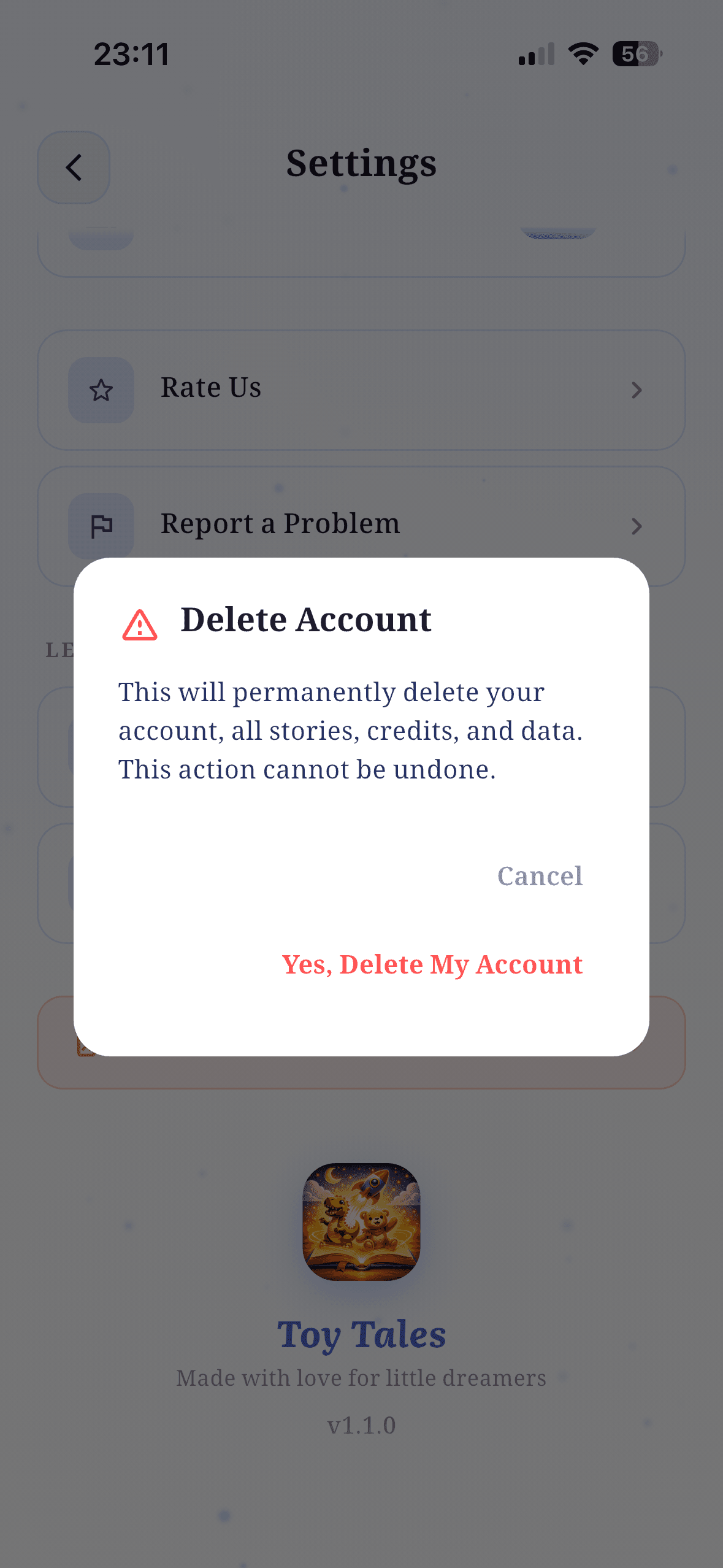
Confirm by tapping "Yes, Delete My Account" in the dialog that appears.
Having trouble?
If you're having difficulty deleting your account, please reach out via the "Report a Problem" option inside the app.